BudgetSheet 2.9.8 - Manual CSV Import
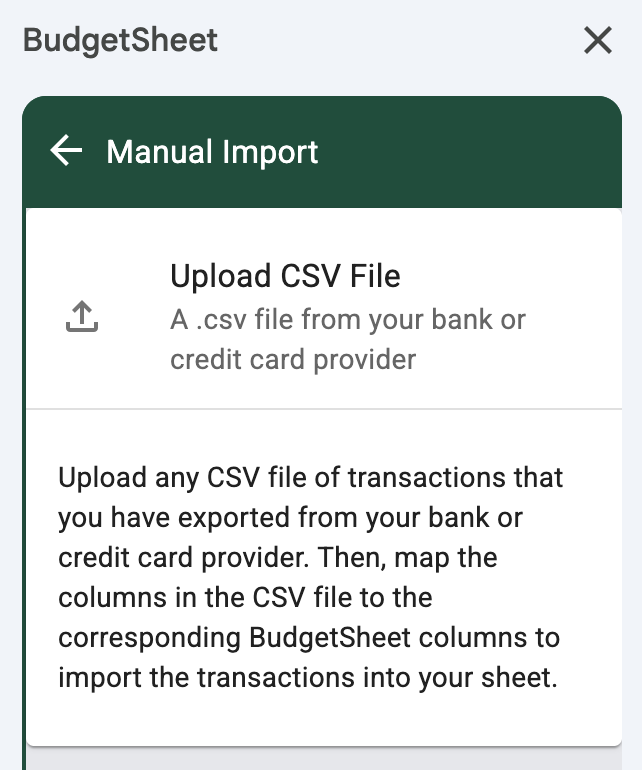
You can now import transactions from any CSV file exported from your bank or credit card provider directly into your BudgetSheet spreadsheet! This is perfect for accounts that aren't connected via Plaid, or for importing historical transaction data.
How It Works
The new Manual Import tool is available in the Sheet Tools menu in the sidebar. Simply upload your CSV file, and BudgetSheet will automatically detect and map your CSV columns to the corresponding BudgetSheet columns (Date, Amount, Business, Category, etc.).
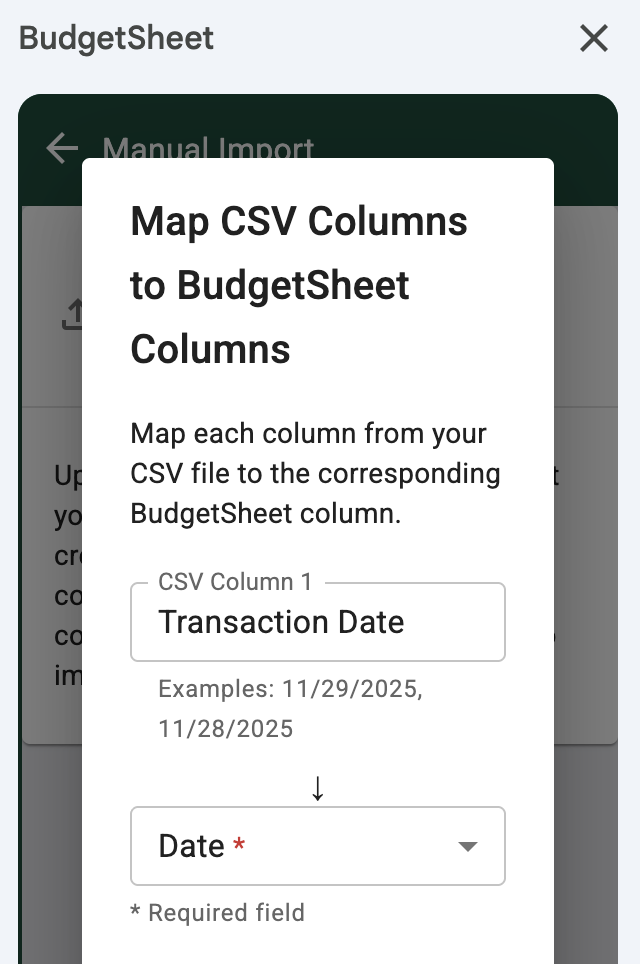
You can review and adjust the column mappings before importing. BudgetSheet will show you example values from your CSV to help you verify the mappings are correct.
Three Enrichment Options
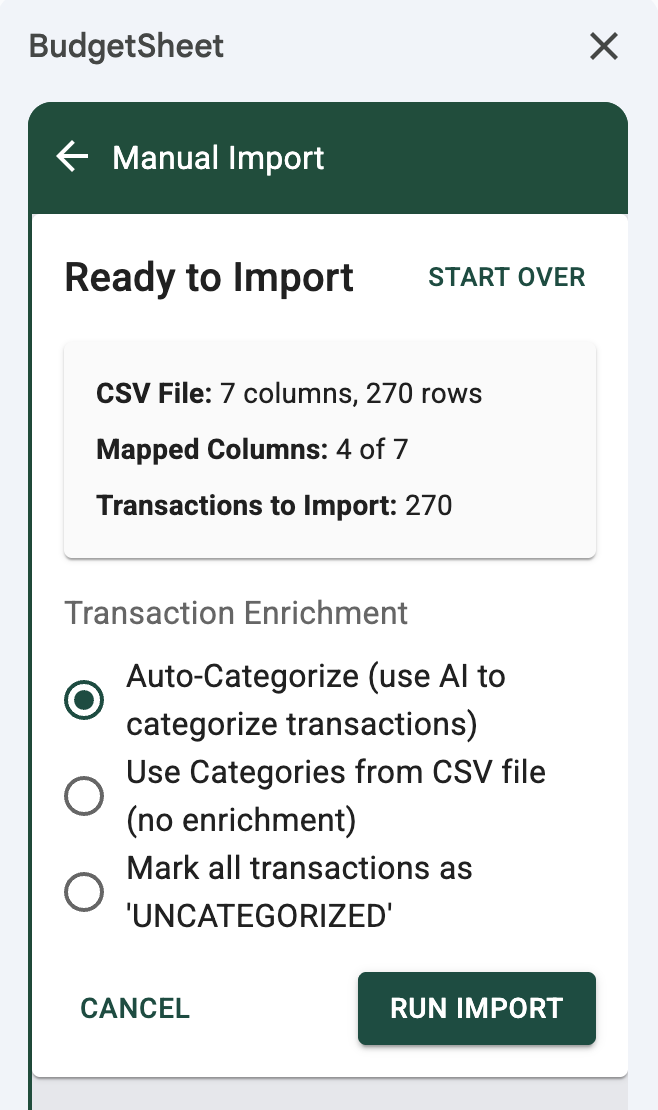
When importing, you can choose how transactions should be categorized:
- Auto-Categorize (default) - Uses AI-powered Plaid enrichment to automatically categorize transactions based on merchant names and transaction details
- Use Categories from CSV file - Uses the category values directly from your CSV file, with empty categories defaulting to UNCATEGORIZED
- Mark all as UNCATEGORIZED - Sets all transactions to UNCATEGORIZED for manual categorization later
Smart Features
- Automatic column detection - BudgetSheet intelligently matches CSV columns to BudgetSheet columns using fuzzy matching
- Debit/Credit handling - Automatically handles CSV files with separate Debit and Credit columns, calculating the net amount
- Category rules - User-defined category match patterns and mapping rules are applied automatically (except in uncategorized mode)
Perfect For
- Importing historical transaction data
- Accounts that don't support Plaid connections
- Credit cards or accounts from smaller financial institutions
- Bulk importing transactions from multiple sources
The Manual Import feature is available to all Pro users. Give it a try!
Happy Budgeting!
- Vance L

