Autofetch: Select a Custom Run Time
Autofetch runs once a day and pulls fresh transactions into your spreadsheet without you lifting a finger. Before you click ENABLE, you now decide whether it uses BudgetSheet’s automatic overnight timing, or Pick Sync Time so it runs at a clock time you choose.
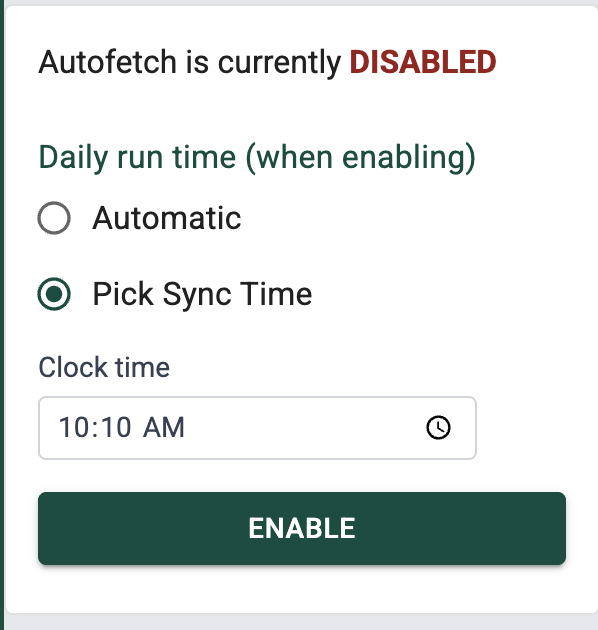
Automatic or pick a time
While Autofetch is off, pick how it should be installed when you turn it on:
- Automatic: BudgetSheet picks an overnight window for you (random time between 1:00am and 6:00am).
- Pick Sync Time: Pick an hour and minute that fits your day.
Google schedules the daily run on its side, so it may not happen at the exact minute you chose. Expect it within about 15 minutes before or after the time you select.
Everything else works as before: your transactions and balances still update the same way. Only when the daily run happens changes.
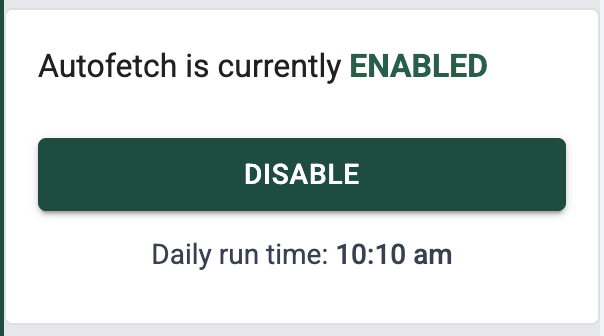
After Autofetch is on
Turn Autofetch on, and the sidebar shows Daily run time: under the button when there’s a specific time to show (for example, 3:07 am). If you chose Automatic, you might not see an exact time; same idea as before.
Tips
- Autofetch is included with paid BudgetSheet plans.
- Want to double-check triggers yourself? Open your Google Script triggers.
- Need a different time later? Turn Autofetch off, choose Automatic or a new time, then turn it on again.
Happy Budgeting!
- Vance L

