Category Rules and Category Mappings
You can now categorize transactions from the sidebar. Custom rules match a transaction and set its category, merchant, or another column. Category mappings rename BudgetSheet's built-in categories. Together they cover what the BSA_Categories sheet used to do, and they handle cases that sheet could not.
Open Categories in the sidebar.
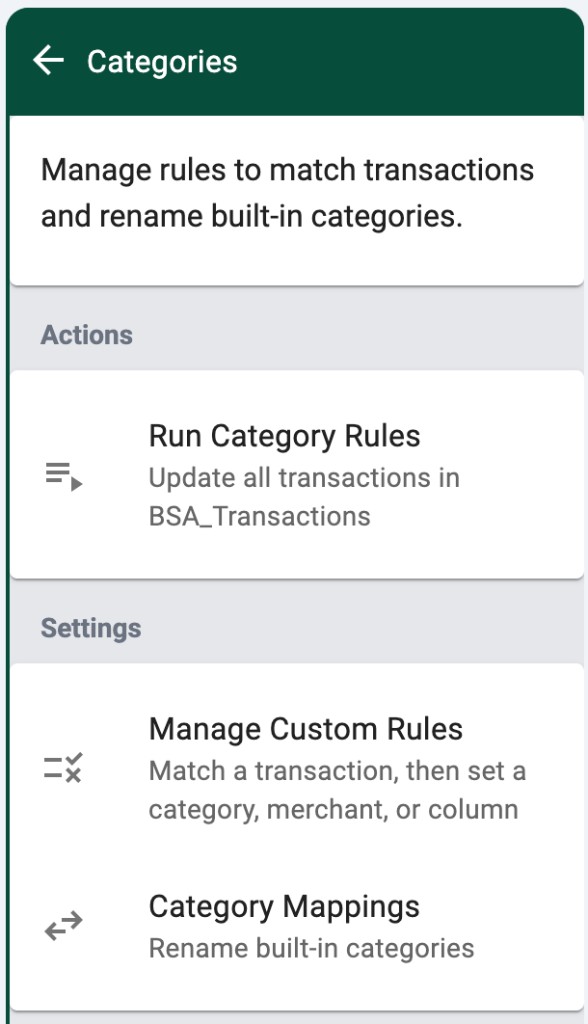
Custom rules
BSA_Categories gave each category one list of merchant names in MatchPatterns. A name on that list set the category. That was the whole rule.
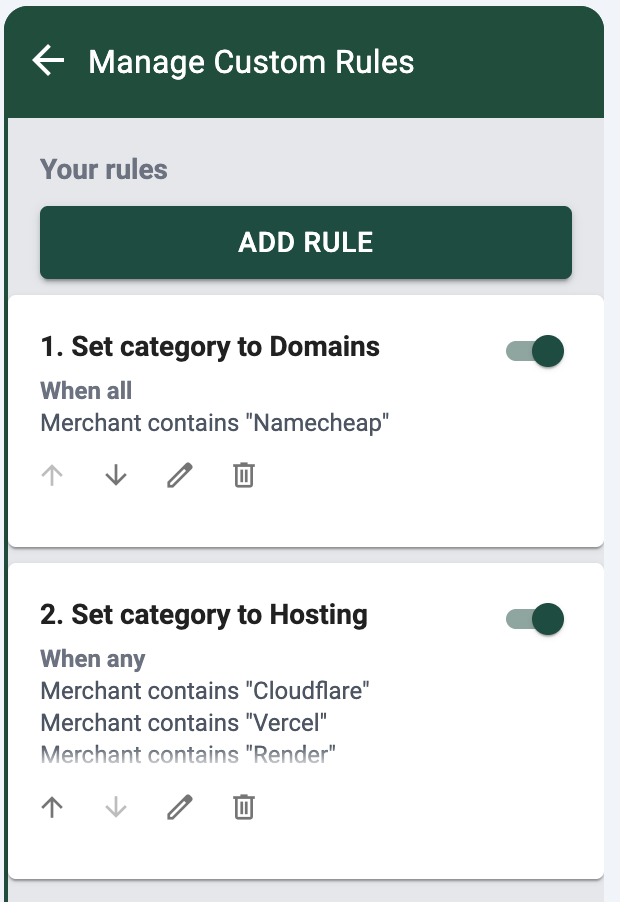
Manage Custom Rules keeps a list of rules instead. Each rule can have several conditions, and you can add as many rules as you need. Turn a rule off without deleting it, and move rules up or down. Rules run from top to bottom. When two rules match the same transaction, the later one wins for the field it sets.
A condition can look at:
- Merchant, Description, or Merchant or Description
- Account, so the same merchant can be categorized differently on a personal card and a business card
- Amount, compared as equals, greater than, at least, less than, at most, or between
Amount matching uses the size of the transaction and ignores the sign, so a $42.00 charge and a $42.00 refund both match an amount of 42. That is what you want when the price decides the category: coffee under $15 stays Dining, and a $40 grocery run at the same store goes to Groceries.
Combine conditions with All conditions or Any condition. "Merchant contains Namecheap" is one rule. "Merchant contains Cloudflare, Vercel, or Render" is another, with any of those names enough to match.
When a rule matches, it can:
- Set category
- Set merchant, so a messy bank description becomes a clean name in the Business column
- Set column, and write a value into any other column on
BSA_Transactionsexcept TransactionID
New transactions pick up your rules during fetch and sync. Run Category Rules applies the same rules to every row already in BSA_Transactions, so you can change a rule and update the sheet without importing again.
Category mappings
MapToCategory on BSA_Categories renamed a built-in category. Category Mappings does that from the sidebar. Pick a built-in name, such as Travel, and choose what it should say on your transactions, such as Airplane Time.
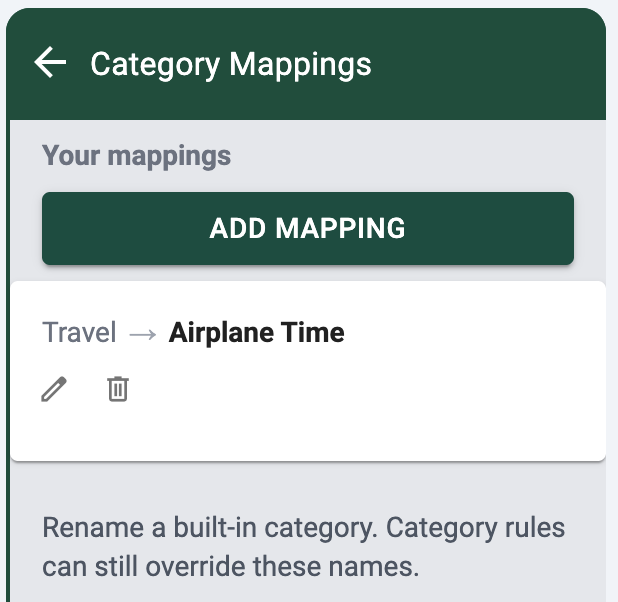
Mappings apply when no custom rule has set the category. A matching rule still overrides the mapped name.
You don't have to keep editing BSA_Categories
If BSA_Categories is already in your spreadsheet, BudgetSheet will still read MatchPatterns and MapToCategory. You don't need that sheet for new setup. Custom rules replace the merchant list and add amount, account, and description matching, plus more than one rule per category. Category mappings replace renaming built-in categories.
Happy Budgeting!
- Vance L

