Smarter Duplicate Transaction Prevention
Duplicate transactions have always been one of the most frustrating things about syncing bank data. This update makes BudgetSheet significantly better at preventing them, and gives you better tools to clean up any that slipped through.
Why Duplicates Happen
When Plaid delivers a transaction, it gives it a unique ID. But sometimes, especially when reconnecting a bank account, Plaid assigns a new ID to a transaction that's already in your sheet. BudgetSheet previously had no way to know it was the same transaction, so it would insert a second row.
How Fingerprinting Works
Every transaction now gets a fingerprint: a unique signature based on the account, date, amount, and merchant name. This fingerprint is stored alongside the transaction ID in a hidden TransactionID column.
When new transactions come in, BudgetSheet checks:
- Is this exact transaction ID already in the sheet? If so, skip it.
- Does this transaction's fingerprint match an existing row? If so, treat it as the same transaction and skip it (or update the existing row).
This means even if Plaid gives a transaction a brand new ID, BudgetSheet can still recognize it as something you already have and won't insert a duplicate.
Improved Duplicate Finder Tool
The Find Duplicate Transactions tool in Sheet Tools has also been updated. It now uses the same fingerprint logic to find potential duplicates across your entire sheet, not just recent pending ones.
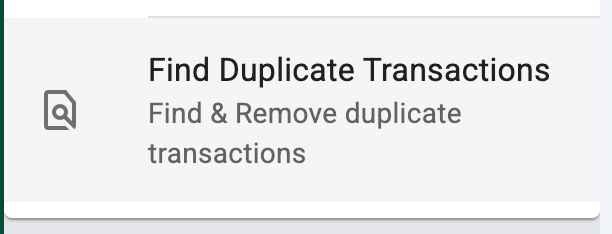
Open it from the sidebar: Sheet Tools > Find Duplicate Transactions. Choose your search scope and action, then run it. BudgetSheet will scan your sheet and highlight any rows it believes are duplicates:
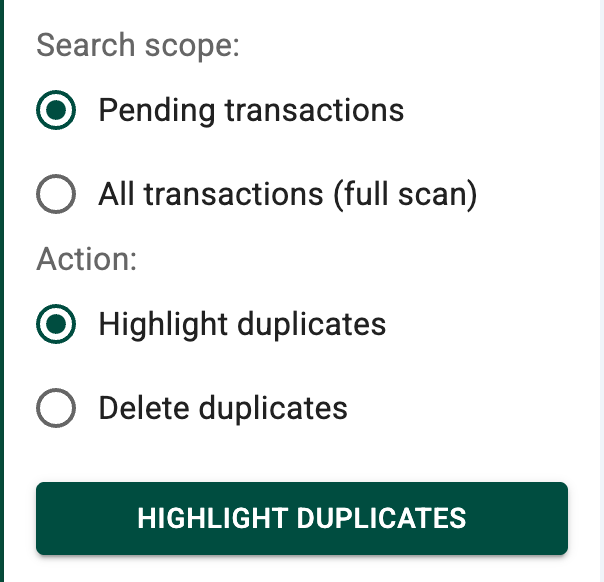
- Potential duplicate rows are highlighted in light red
- Their matching settled counterparts are highlighted in light blue
You can review the highlighted rows and delete the duplicates manually, or let BudgetSheet remove them automatically.
What This Means For You
- Reconnecting a bank account. Previously this was the most likely cause of duplicates flooding in. Now BudgetSheet recognizes transactions it has already seen and skips them.
- Re-uploading a CSV. If you accidentally upload the same CSV file twice, BudgetSheet will detect the duplicate fingerprints and skip all the rows it already inserted.
- Existing sheets. Fingerprints are added automatically going forward. Old rows without fingerprints are still protected by their transaction IDs.
Happy Budgeting!
- Vance L

